
User guide · Bringing your library
Import your iReal Pro charts and playlists
If your band already reads iReal Pro charts, you don't have to type them again. ChordCast opens iReal Pro song and playlist links and exported playlists, converts each chart, and turns a playlist into a setlist.
Ways to import
| You have | iPhone and iPad | Mac | Android | Web app |
|---|---|---|---|---|
A song or playlist link (irealb://) | Tap it | Use the forum browser or an exported playlist | Tap it, or paste it in Import from iReal Pro… | Paste it |
| A playlist exported from iReal Pro (an HTML file) | Share it to ChordCast, or open it with ChordCast | Open it with ChordCast | Share it to ChordCast, open it, or Choose a File… | Choose the file |
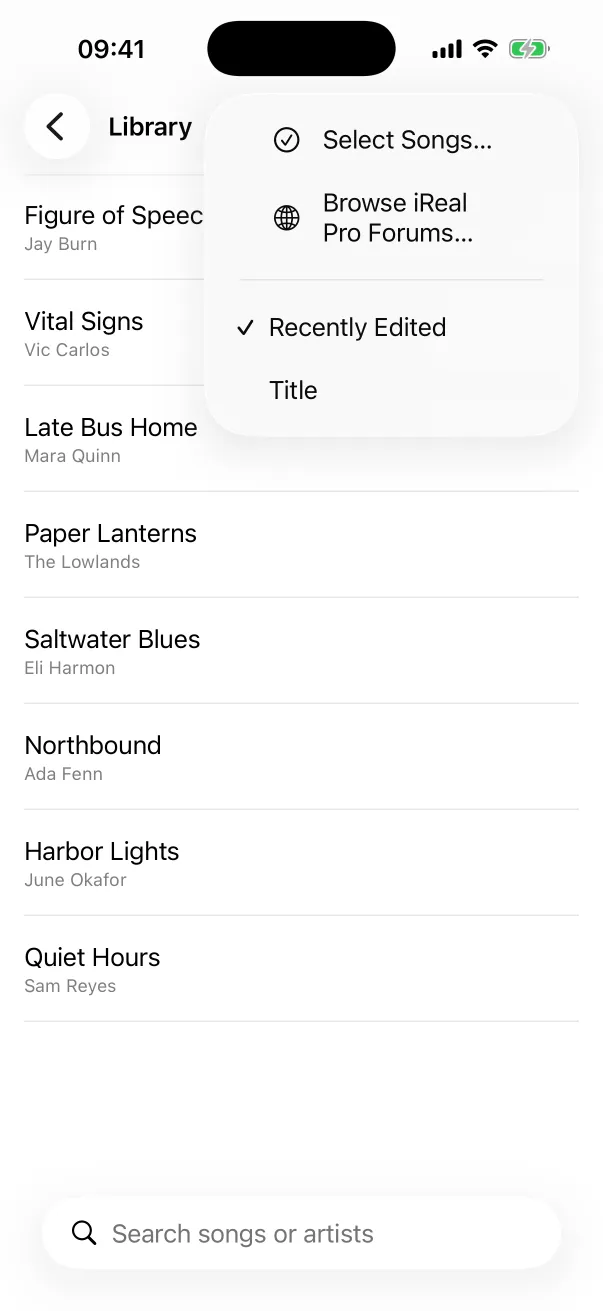
| Songs on the iReal Pro forums | Library → More → Browse iReal Pro Forums… | ⋮ → Browse iReal Pro Forums… | Copy a link from the forums and paste it | |
Links
iReal Pro shares songs and playlists as irealb:// links: in a message, an email or a forum post. On an
iPhone or iPad with ChordCast installed, tap the link and choose to open it in ChordCast. On Android, tap it, or open the
library's ⋮ menu, choose Import from iReal Pro… and paste it.
Exported playlists
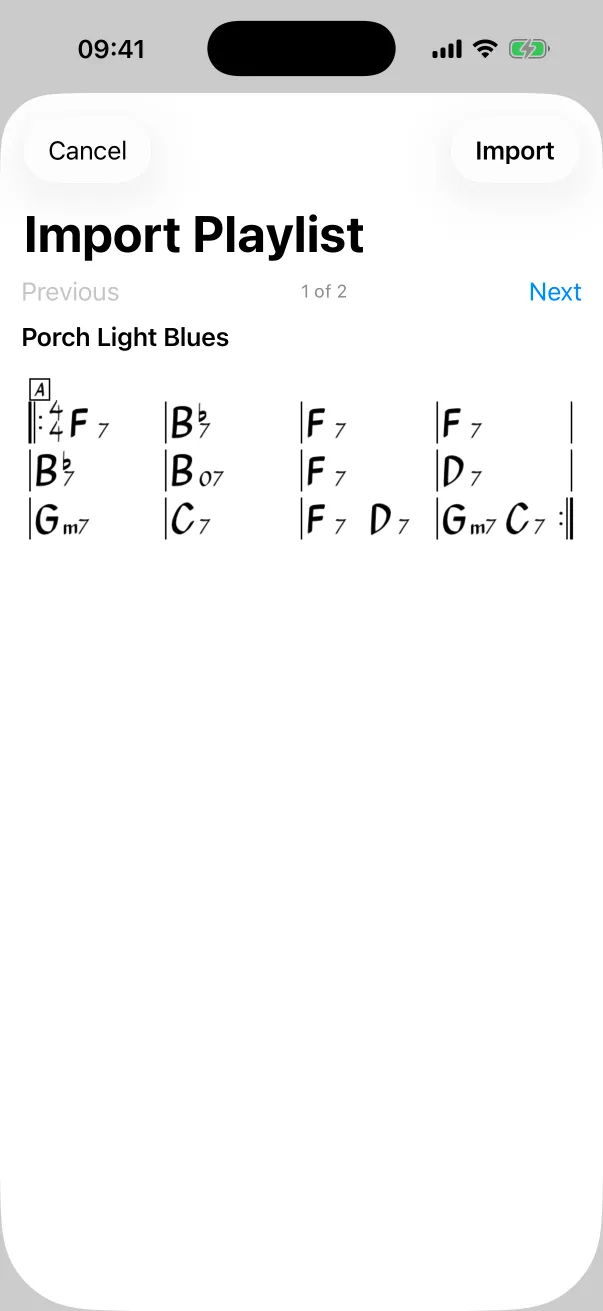
iReal Pro can export a playlist as a file to send to someone. Share that file to ChordCast from the share sheet, or open it with ChordCast from Files, Finder or a download, and the whole playlist comes in as one setlist. This is also the way to bring a playlist to a Mac.
The iReal Pro forums
Browse iReal Pro Forums… opens the forums inside ChordCast. Tap a song or playlist link in a post and ChordCast shows its import preview right there.
In the web app
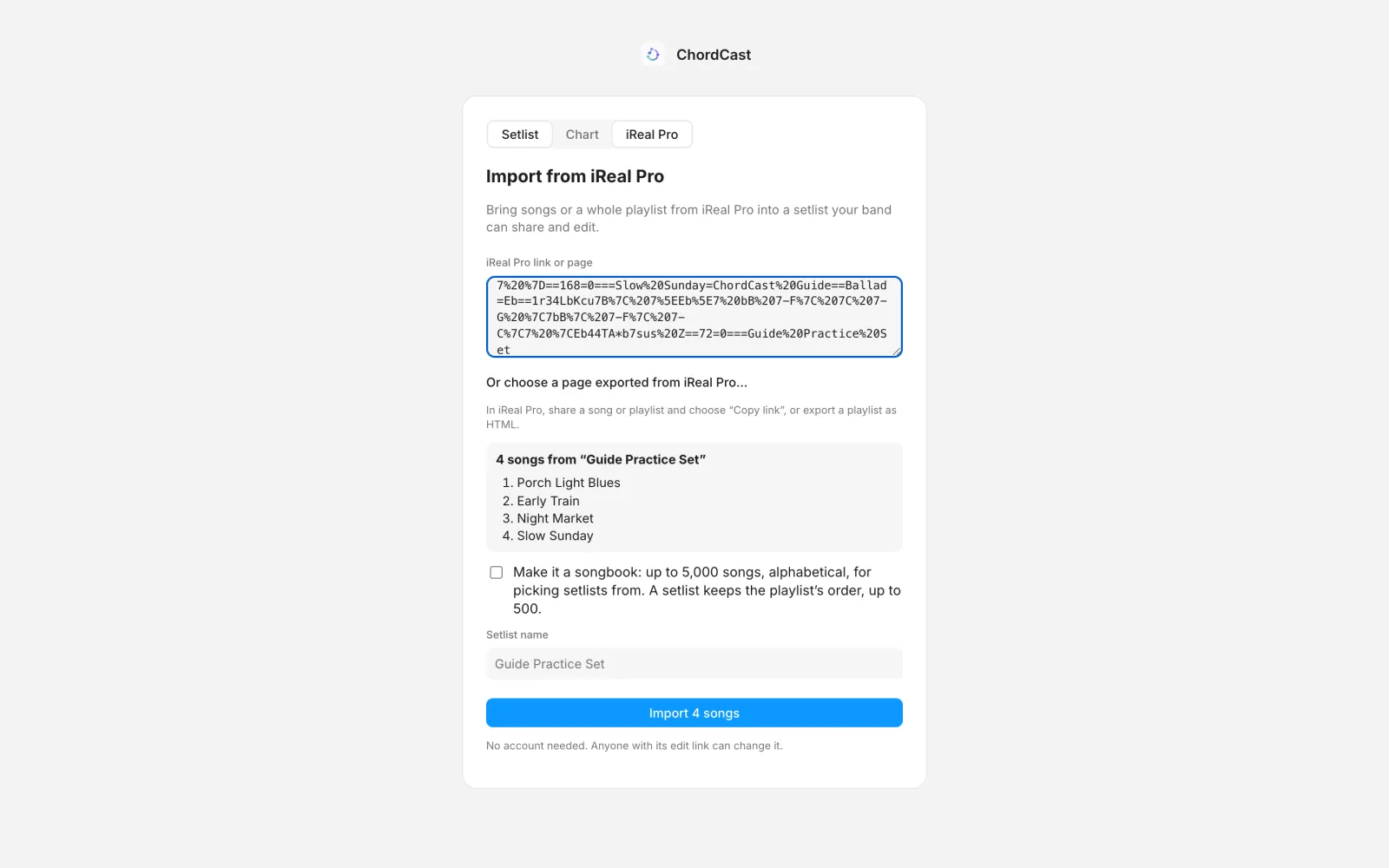
On chordcast.app/s/new, choose iReal Pro, paste a link or choose an exported playlist file, and import the songs into a new shared setlist (or, for a big library, a songbook). In a setlist you already have, Import from iReal Pro… is under the songs list.
What comes across
- Chords, including iReal Pro's spellings of half-diminished, altered and suspended chords, and N.C.
- Sections: A, B, C… and Intro, Verse and Chorus.
- Form: repeat signs, double and final barlines, first and second (and later) endings, with the second ending set under the first.
- Time signatures, segno, coda, Fine, D.S. and D.C.
- Repeat-the-bar signs, one bar or two.
- Alternate chords, as small text above the chord.
- The title, the composer (as the artist), the key (shown in the key panel and kept as you transpose), the style, the number of times through the form, and the tempo when the song has one, so the tempo dot works straight away.
A playlist with more than one song becomes a setlist with the playlist's name.
What's different
- iReal Pro's small and large chord sizes, and its exact spacing, aren't kept: ChordCast lays the chart out itself.
- iReal Pro charts carry no written rhythm, so an imported chart is a chord grid. You can add hits and rhythms afterwards (how).
Importing again
Importing a song that's already in your library, unchanged, reuses it instead of making a copy, and the same goes for a playlist you've imported before. ChordCast tells you when everything was already there.
After importing
- Fix or extend a chart in the editor.
- Set each song's key for your band in the setlist.
- Send the setlist to the band with a link, or share it over Bluetooth at rehearsal.
Comparing apps? Read iReal Pro alternatives for bands.