
Article · At the venue
A setlist app that works without internet: syncing a band over Bluetooth
The cellar bar with one bar of signal. The festival field where four thousand phones share a mast. The church hall whose Wi-Fi password nobody knows. If your band's charts depend on the internet, these are the gigs where they fail. Here's how to run a set with no connection at all.
Updated
Two separate problems
“Works offline” can mean two different things, and a band needs both:
- Every device has every chart. Nothing waits on a download when the bandleader calls a tune.
- The devices still talk to each other. When the leader moves to the next song or changes key, the other screens follow, with no network in between.
Plenty of apps manage the first. The second is the hard part, and it's the one that matters on stage.
How Bluetooth sync works
Phones, tablets and laptops can talk directly over Bluetooth Low Energy, the same radio that connects headphones, with no router or mast involved. ChordCast uses it for band sync:
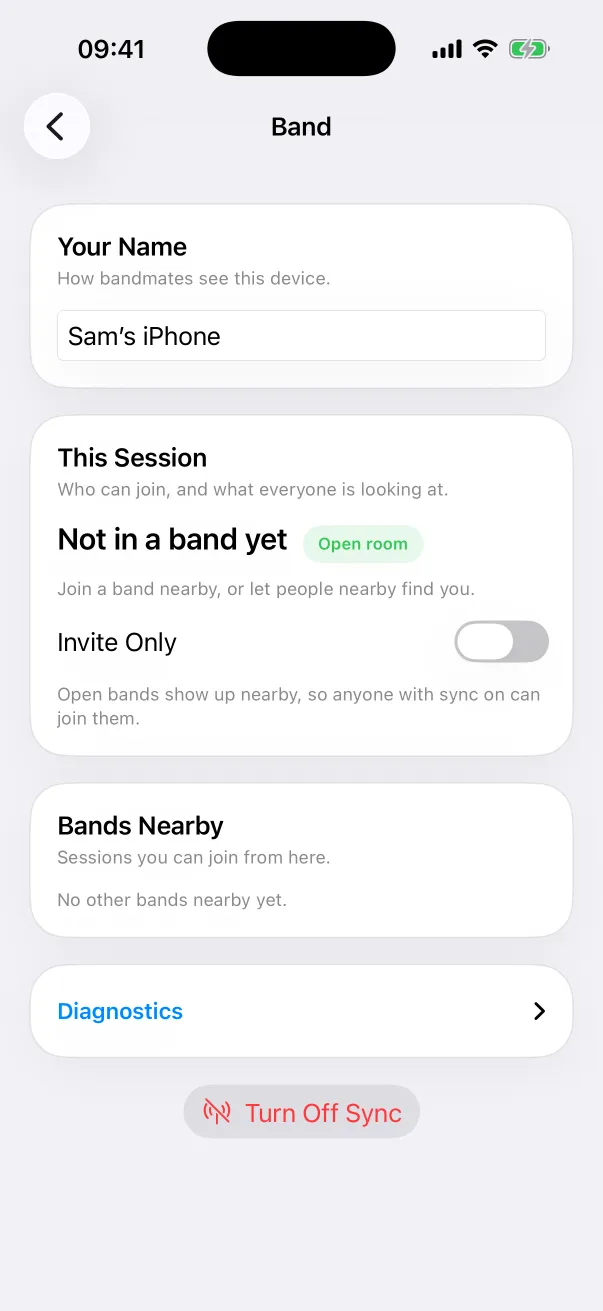
- Each player turns on sync. Devices within range find each other and form a band.
- One device leads. When the leader opens a song or changes its key, the change goes to every follower directly. It typically takes under a second.
- A device missing a chart gets it from the band, so a dep who's never seen the set can read along.
- iPhones, iPads, Macs and Android devices mix freely in one band.
Step by step: Get the whole band on the same chart with Bluetooth.
Before you leave for the gig
- Share the setlist with the band. At rehearsal, in a band, use Share with Band: every chart goes to every device and is saved for offline use. If you share setlists with a link, open the setlist once on each device while you're online.
- Check permissions. ChordCast needs Bluetooth (on Android, “Nearby devices”). Allow it at home, not on stage.
- Charge up. Bluetooth sync uses some battery over a long night; a full charge is cheap insurance.
- Agree who leads. Anyone can take the lead with one tap, and hand it over between songs.
On the night
- Everyone opens ChordCast and turns on sync. Devices that were in a band together reconnect on their own.
- Keep ChordCast open on iPhones and iPads: Bluetooth sync pauses while the app is in the background, and picks up again when you come back. On Android, sync keeps running in the background, with a notification. On a Mac, it keeps running too.
- If nobody with sync on has been nearby for 15 minutes, sync turns itself off to save battery and tells you. One tap turns it back on.
- Want to look ahead? Browse freely; it never moves anyone else's screen. Back to Band takes you back.
- A key change by the leader reaches everyone. Horn players' own transposition stays on their device.
What about bandmates without the app?
A bandmate reading in a web browser can't join Bluetooth sync, which needs the app. But a shared setlist that's been opened once, with Perform mode showing Saved for offline, opens in that browser with no connection, and they can step through it themselves.
Questions
How far does Bluetooth reach?
It depends on the devices and the room. A stage's worth of distance is the job it's built for; across a large venue, expect it to be patchy.
Do we need Wi-Fi at all?
No. Band sync never uses the internet or ChordCast's servers. Cloud links are a separate feature for keeping a setlist up to date between gigs.
What if the leader's phone dies?
If the leader drops out, another device takes over the lead, and anyone can choose Take Lead.
Can strangers join our band?
Not if you don't want them to. Turn on Invite Only and nobody nearby can see the band; members invite people instead.